Translation
The Gusto Embedded React SDK supports translation of all strings present in the UI. Translations can be used for internationalization. They can also be used to customize text according to the needs of your application.
i18Next
We use i18next to implement translations. If you are also leveraging i18next, we create our own independent instance to avoid conflicting with the one already present in your application.
Supplying your own translations
You can use the dictionary prop on the GustoProvider to set translations. The top level key represents the language being used (“en” by default). Each string in the UI has a key and corresponding default text. Let’s go through an example updating the Employee.PaymentMethod component.
For example, take the payment details step from the Employee Onboarding Flow. Initially it renders with the following copy:
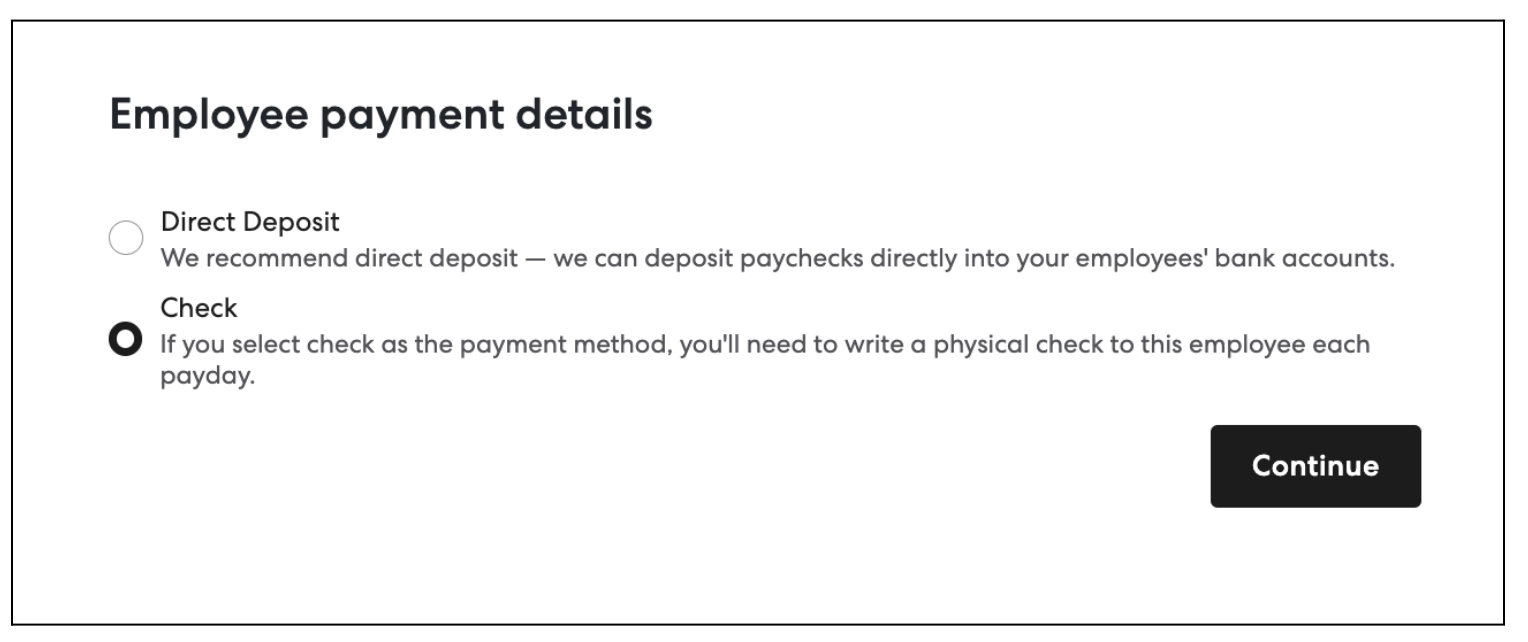
We can update any text on this page by overriding the text strings in the dictionary. Here is an example updating the title and CTA text.
import { EmployeeOnboardingFlow } from '@gusto/embedded-react-sdk';

function MyApp({ companyId }) {
  return(
    <GustoProvider
      config={{
        baseUrl: `/myapp/`,
      }}
      dictionary={{
        en: {
          'Employee.PaymentMethod': {
            title: 'Please provide your payment information',
            submitCta: 'Next step',
          },
        },
      }}
    >
      <EmployeeOnboardingFlow companyId={companyId} onEvent={() => {...}} />
    </GustoProvider>
  );
}
Which results in the following:
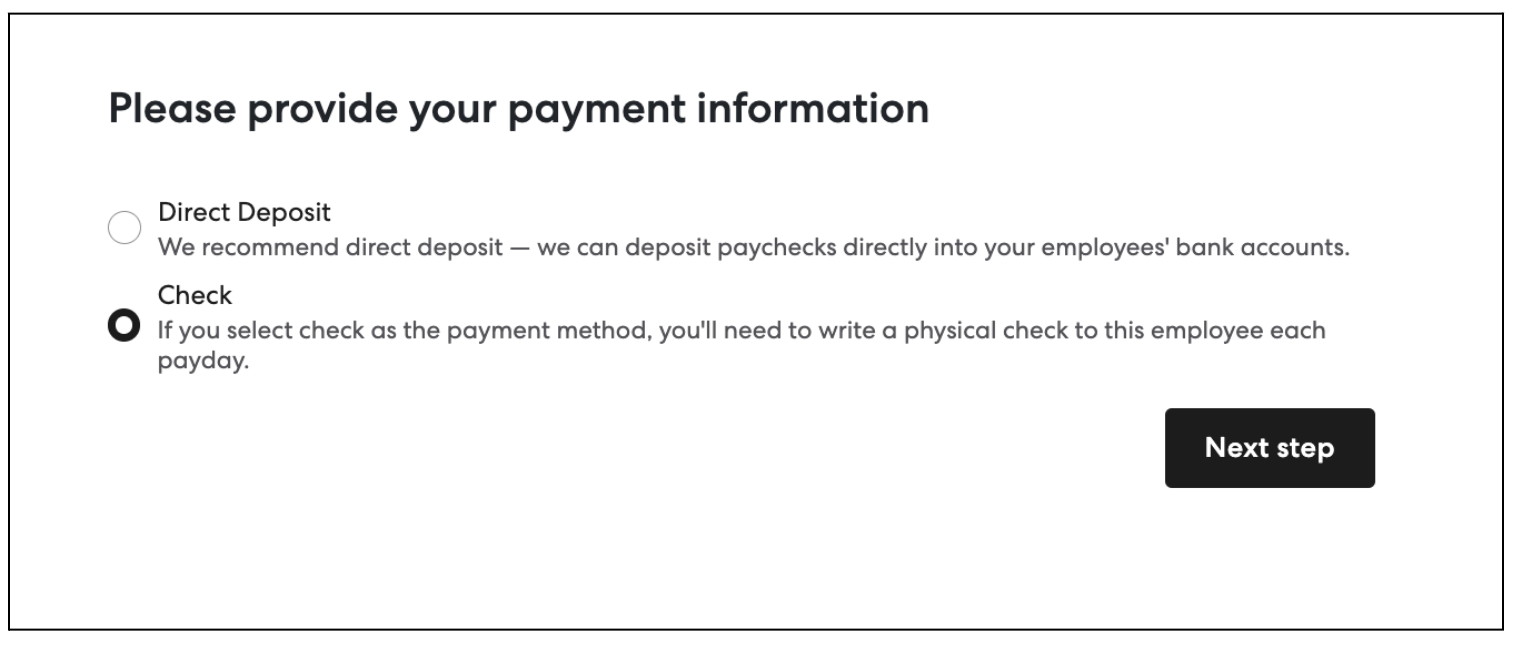
We could provide custom text in a similar manner for any copy on the page.
Viewing available translations
For a complete, browseable list of every overridable string, see the Translations reference. Each i18n namespace (e.g. Employee.PaymentMethod) has its own section listing every key alongside its default English copy — these are exactly the keys you supply under dictionary.
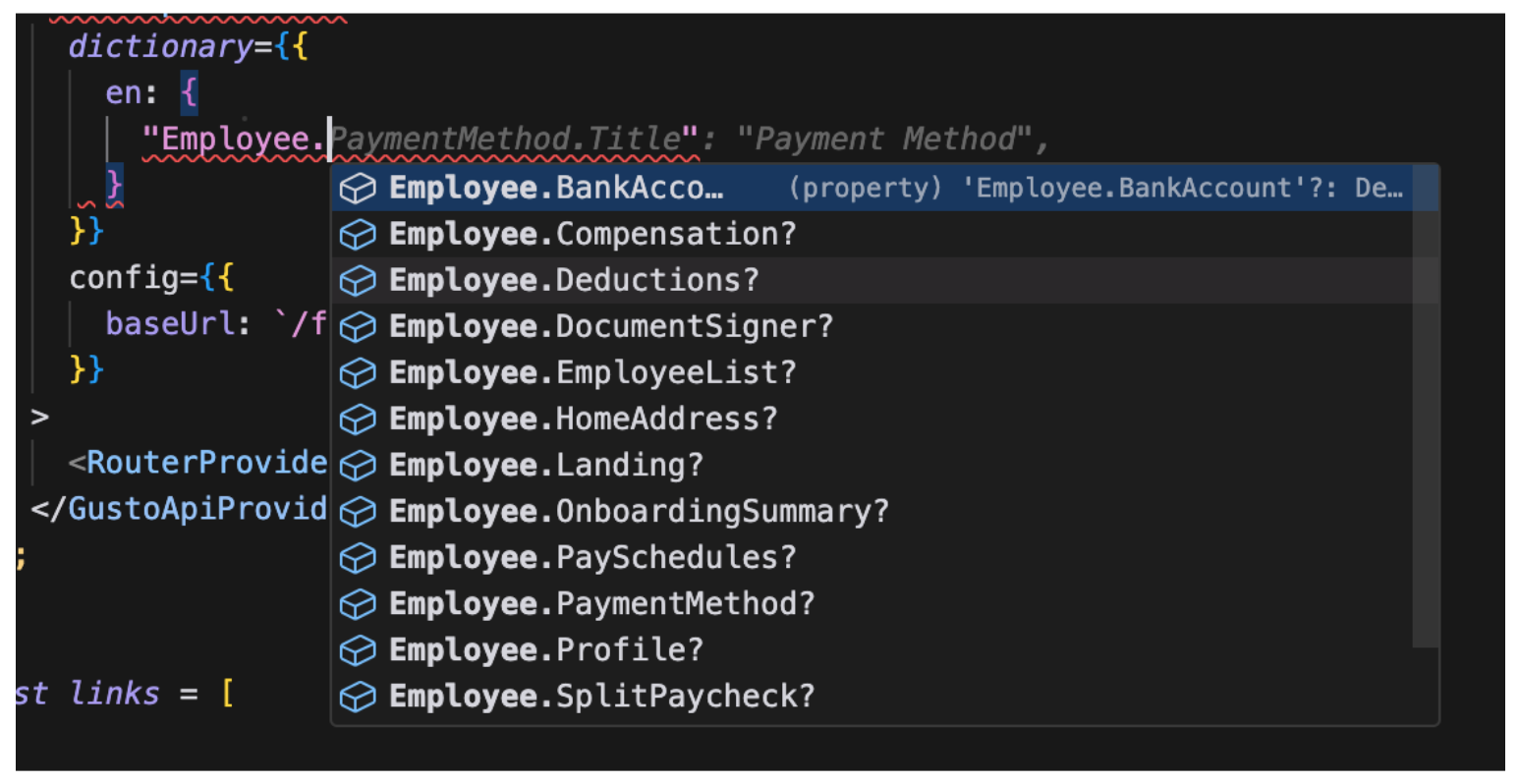
Every dictionary entry is also fully typed. As you type a namespace or key, your IDE surfaces the available options: